
Formulas
Every formula takes a prompt (or a language, a file, categories) and optional parameters; type it in a cell and fill down. Enable the formulas once per spreadsheet from Extensions ➤ GPT Workspace ➤ 🔸 Enable GPT formulas.
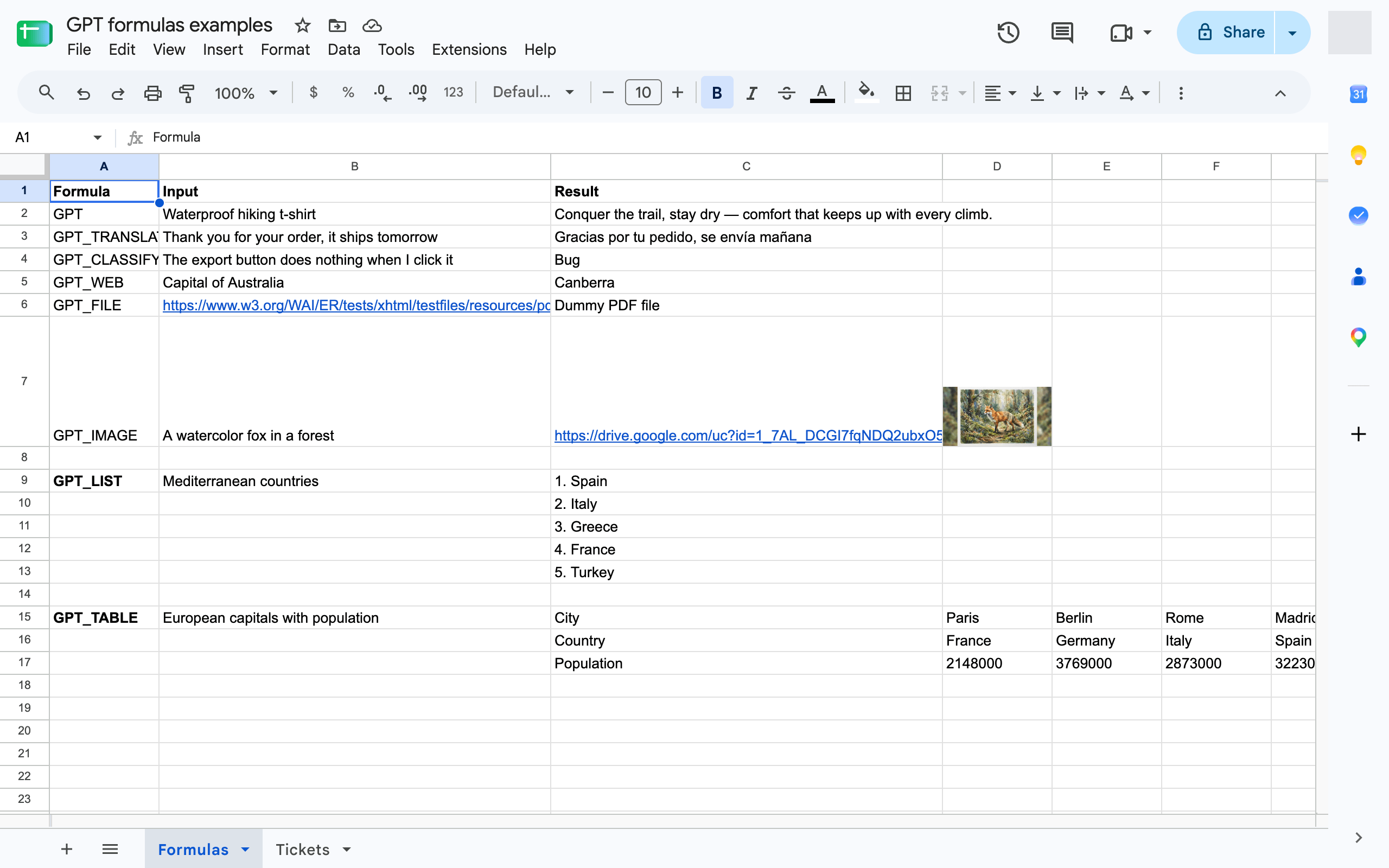
GPT formulaGenerate text from a prompt and a cell
GPT_LIST formulaGenerate a list, one item per row
GPT_TABLE formulaGenerate a whole table
GPT_TRANSLATE formulaTranslate a cell into any language
GPT_CLASSIFY formulaSort cells into your categories with a confidence score
GPT_COMPLETE formulaFill in values from examples
GPT_WEB formulaFetch up-to-date facts from the web
GPT_IMAGE formulaGenerate an image and get its link
GPT_FILE formulaAsk a question about a PDF, image, audio, video or document from its URL
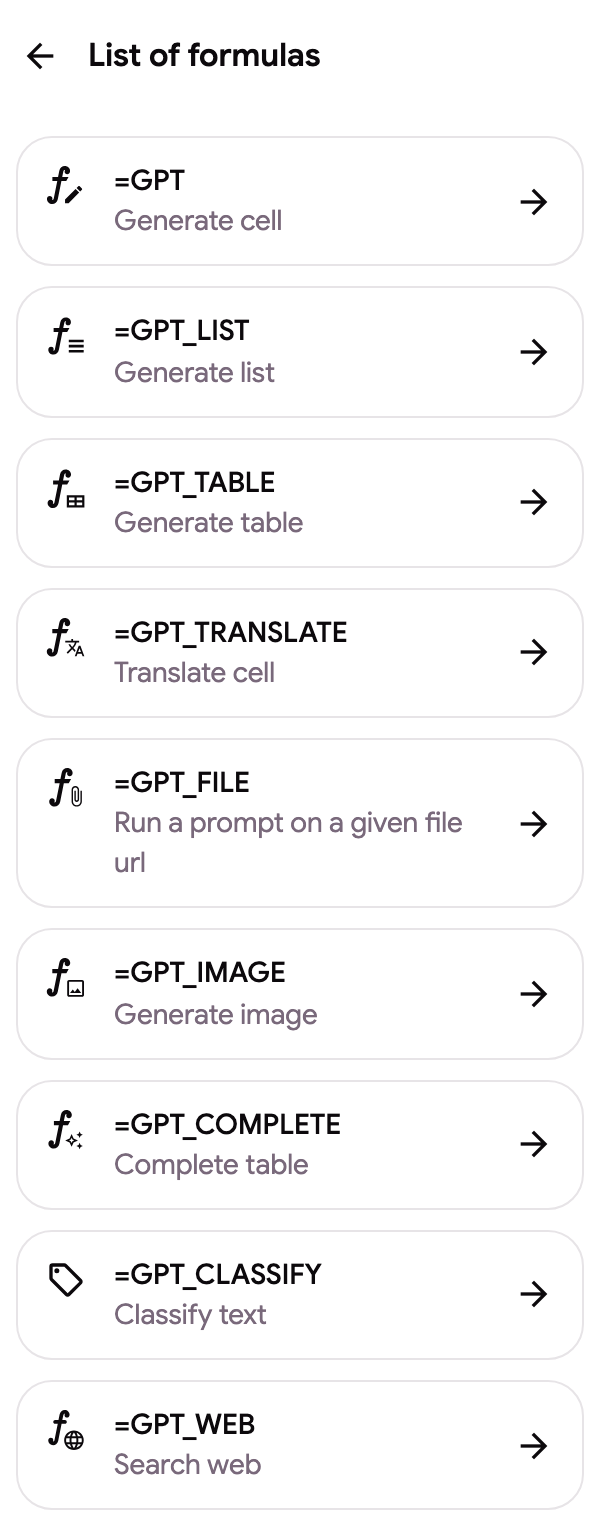
The same reference is available inside the sidebar in Google Sheets, under Formulas documentation in the sidebar menu.
Common parameters
Section titled “Common parameters”| Parameter | Meaning | Default |
|---|---|---|
temperature |
Creativity, from 0 (deterministic) to 2 (very creative); 0 to 1 for GPT_WEB |
the default from Formula settings, 0.5 |
model |
standard or advanced (paid plans) |
standard |
bypassCache |
true to ignore the cached result and generate again |
false |
Use your locale’s separator between arguments (, or ;) and quotes around literal text: =GPT("hello") works, =GPT(hello) does not.
While a formula runs, the cell shows “⏳ Waiting for response…”. Errors are shown as text in the cell; see Common errors.