
I paid but my account still shows the free plan
The plan is attached to the Google account that was signed in during checkout. Almost every “I paid but nothing changed” case is one of the situations below.
1. Check which account is signed in
Section titled “1. Check which account is signed in”Open gpt.space/app/settings/subscription. The page names the account and its plan.
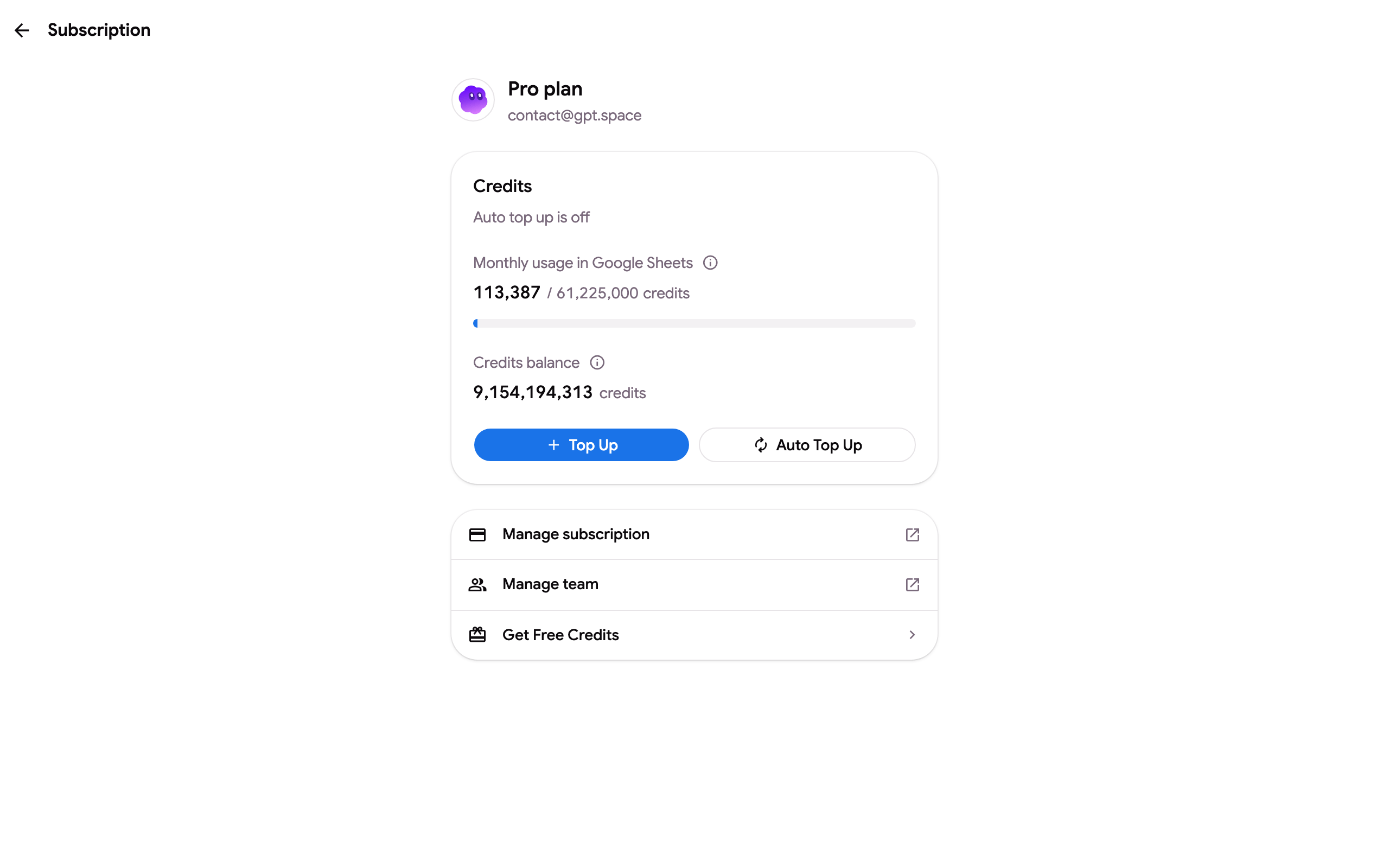
If the plan is Free here, sign out (click your avatar at the bottom of the sidebar ➤ Sign out) and sign in with the address written on the Stripe receipt you received by email. Common mix-ups:
- A personal
@gmail.comand a work account are both signed in to Chrome. Google Docs, Sheets and Gmail use the account of the current tab, the add-on uses the account that opened the file. Use the same account everywhere or switch the account of the tab. - The purchase was made from a colleague’s or a second address. Ask them to add you to their team instead of paying twice.
2. Reload the Google app
Section titled “2. Reload the Google app”The add-on sidebar and the Chrome extension read the plan when they open. After paying, reload the Google Docs, Sheets or Gmail tab and open the sidebar again. In Sheets, formulas already showing “Quota exceeded” are re-run with Extensions ➤ GPT Workspace ➤ 🔄 Retry errors.
3. Give the payment a few minutes
Section titled “3. Give the payment a few minutes”Credits are added when Stripe confirms the payment, usually within a minute. Bank transfers and some cards take longer: the subscription page then shows the payment as pending. A declined card does not create a subscription at all, see Payment failed or declined.
4. Coupons and bonus credits
Section titled “4. Coupons and bonus credits”A coupon reduces the price; it does not add credits. Bonus credits are added the moment you click Get free credits on the Earn free credits page and show in the balance of the subscription page, not in the plan name.
Still on the free plan?
Section titled “Still on the free plan?”Write to contact@gpt.space with the receipt (or the date and amount) and the email you sign in with. We attach the subscription to the right account or refund the duplicate.