
Refresh or Freeze GPT cells
Open Formula controls
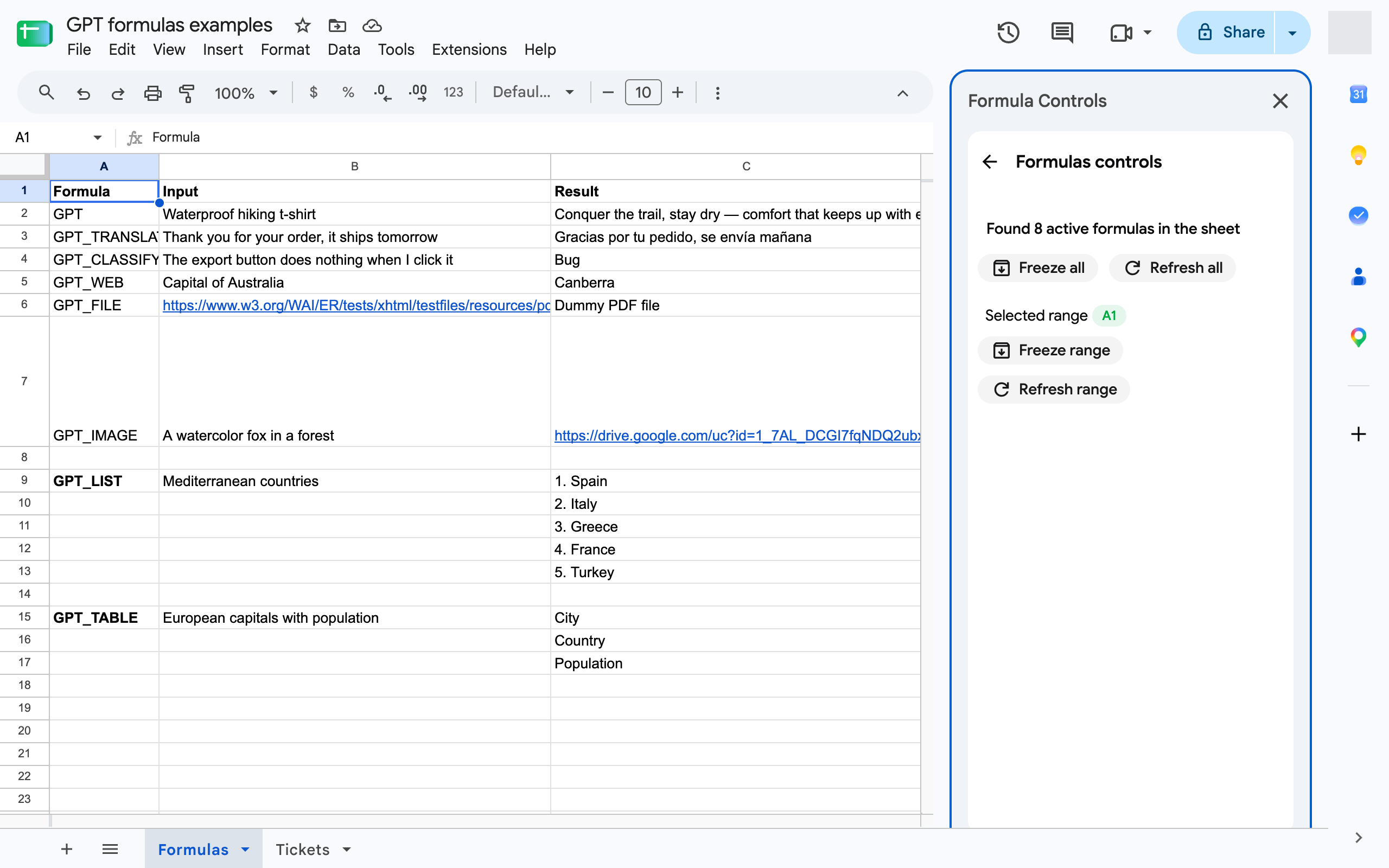
Section titled “Open Formula controls”In Google Sheets, click Extensions ➤ GPT Workspace ➤ 🎛️ Formula controls. The panel counts the active GPT formulas in the sheet and offers four actions.
Refresh formulas
Section titled “Refresh formulas”GPT formulas cache their result, so editing a prompt cell recalculates but repeating the same formula returns the same value. To generate a new value:
- Select the cells and click Refresh range, or
- click Refresh all to refresh every GPT formula in the current sheet.
Refreshing re-runs the formulas with the cache bypassed and consumes credits again.
Freeze formulas
Section titled “Freeze formulas”Freezing replaces the formula with its current value, so the cell no longer recalculates and no longer consumes credits. Use it once you are happy with the results, or before sharing the sheet.
- Select the cells and click Freeze range, or
- click Freeze all to freeze every GPT formula in the current sheet.
Failed cells
Section titled “Failed cells”To re-run only the cells that show an error, use 🔄 Retry errors in the same menu, see Formula controls and retry errors.