
Why did my credits run out so fast?
Credits are a unit of model cost, not a number of messages: a request costs what the AI model charged for it. See What is a credit?. A few chats can use a surprising amount when they involve the expensive items below.
What costs the most
Section titled “What costs the most”| Action | Why it is expensive |
|---|---|
| Advanced models | Premium models cost 10 to 30 times more per token than standard ones. The model is chosen per formula ("advanced") and shown in the chat; prefer standard models for routine work. |
| Long context | Everything the model reads is counted: a whole document, a large sheet range, a long thread, a 20-page PDF. “Summarize this file” on a long file costs more than a question on a selection. |
| Agent runs | “Extract these five bank statements to a sheet” is many steps: reading each file, reasoning, writing cells, checking the result. Each step is a model call. |
| Web search | =GPT_WEB and web search in chat fetch pages and send their content to the model, once per row or per question. |
| Images | One generated image costs as much as thousands of short text answers. |
| Retries and errors | A formula that fails and is re-run is charged for each attempt that reached the model. |
Both the prompt and the answer are counted, and output tokens are the more expensive ones.
See where the credits went
Section titled “See where the credits went”Open gpt.space/app/settings/subscription: the credits card shows the monthly usage against the quota, the balance of top-up and bonus credits and the date the quota resets.
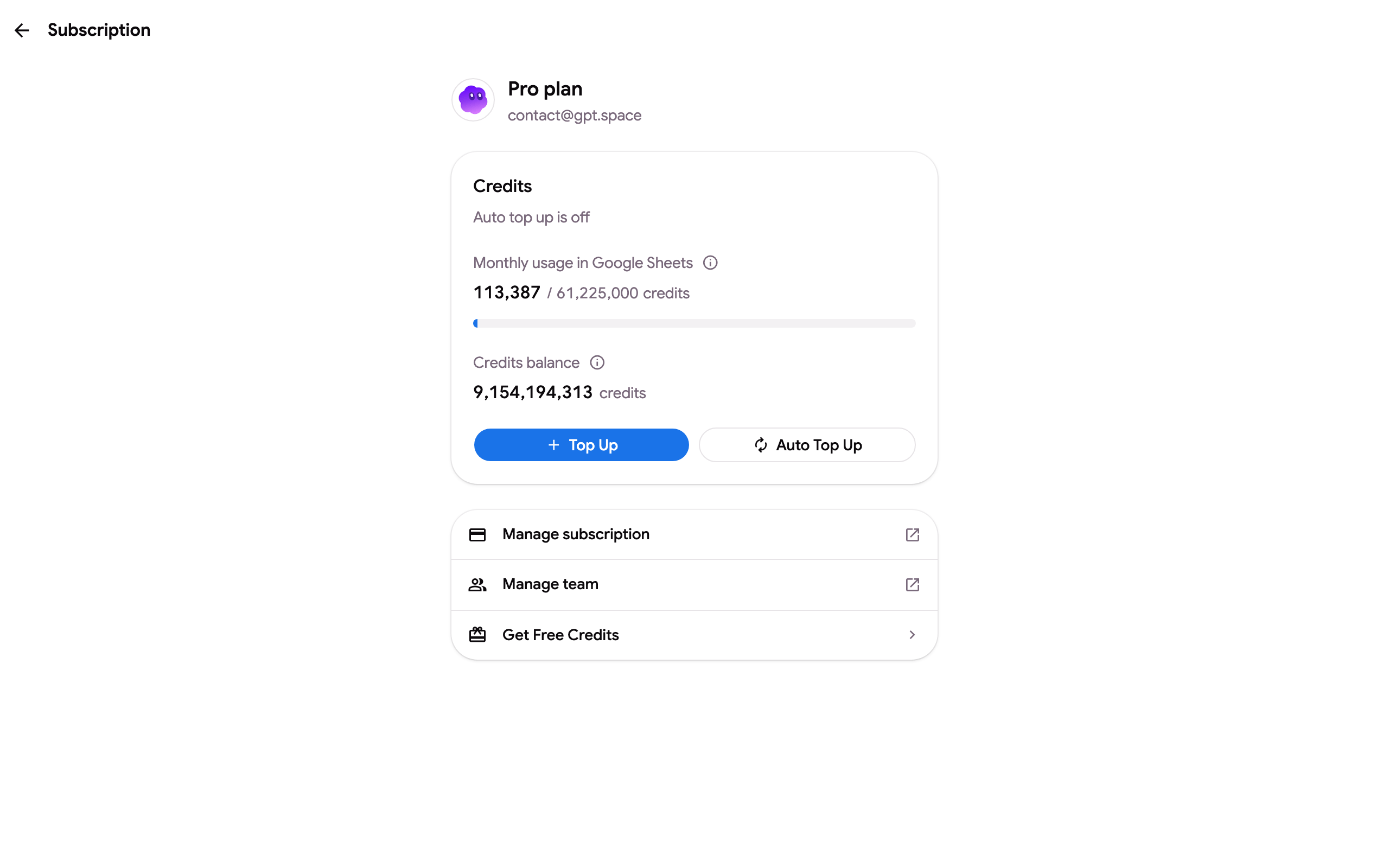
Monthly credits do not carry over: unused credits expire when the cycle resets. Top-up and bonus credits stay until you spend them.
Spend less
Section titled “Spend less”- Use the standard model unless the task needs reasoning; in Sheets, set it once in Formula settings.
- Ask about a selection rather than the whole document when you only need part of it.
- Keep Output tokens low in Sheets and ask for short answers (“one word”, “a number”).
- Run a new formula on a few rows first, check the result, then fill the column.
- Avoid repeating a column of web searches: freeze the results, see Refresh or freeze GPT cells. Auto-freeze in Formula settings (off by default, per spreadsheet) does it for every new result, but the formula is replaced by its value.
- On Standard and Pro, enable pay per usage rather than a bigger plan if usage is occasional.
“I had credits but never used them”
Section titled ““I had credits but never used them””Bonus and free credits do not disappear on their own, but the monthly allowance of the free plan resets each cycle and a plan’s monthly credits are replaced, not added. If the balance looks wrong for your usage, write to contact@gpt.space with the account email: we can list the requests that consumed the credits.