
Cancel and refunds
Cancel
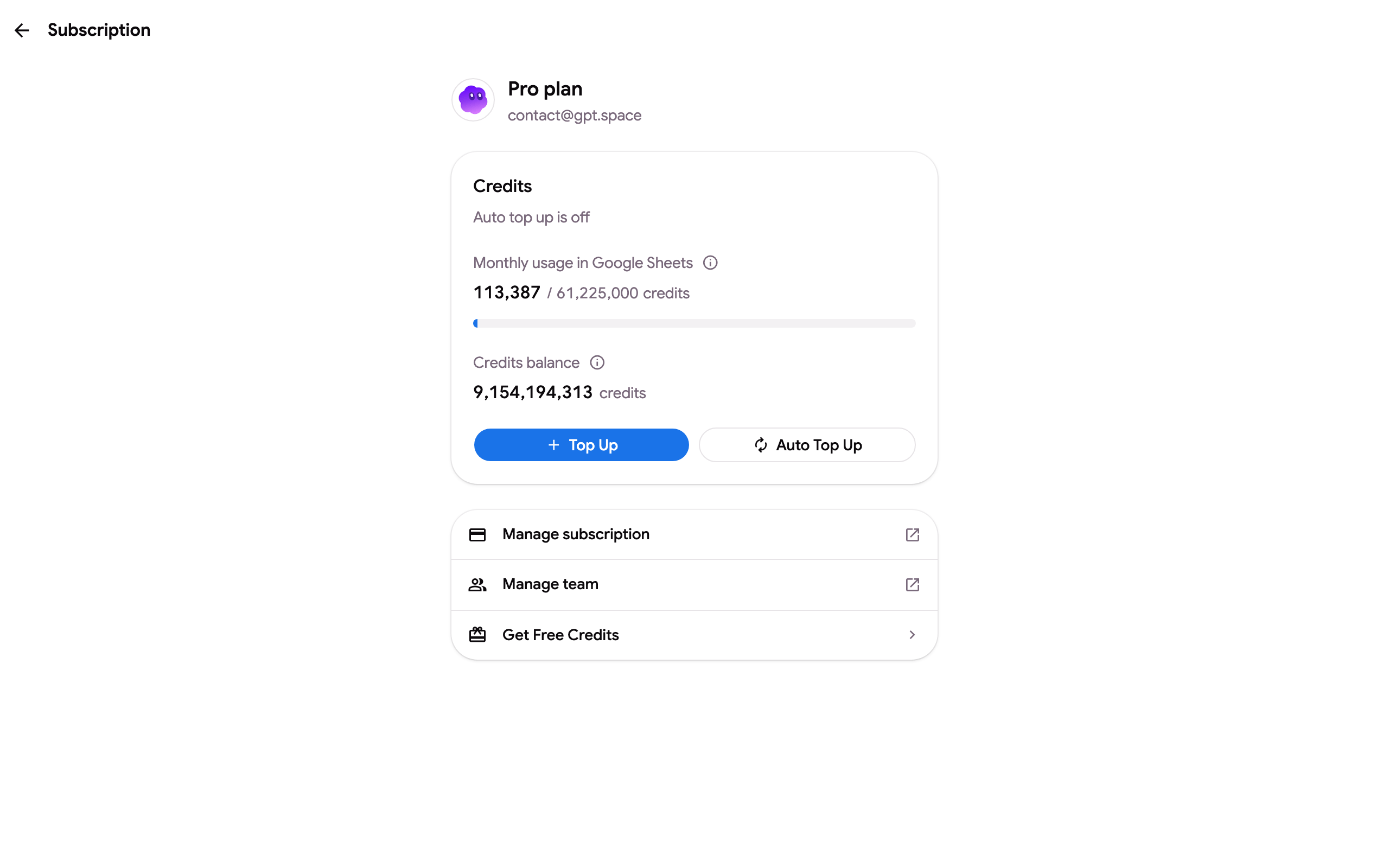
Section titled “Cancel”- Open Settings ➤ Subscription or gpt.space/app/settings/subscription, signed in with the Google account that pays.
- In the Manage subscription block, click Cancel or change plan. The same entry is in the account menu (your email, top right) on every page of the app.
- The Before you go dialog offers alternatives: Pause for 1 month (no charge while paused) and, on yearly plans, Switch to monthly billing. Choose Manage or cancel to continue.
- The Stripe billing portal opens directly on the cancellation step: confirm Cancel subscription.
You keep your plan until the last day of the period you paid for; recurring payments stop. You can resume from the same portal before the period ends.
If your plan is managed by someone else (a team subscription), the page says so: ask the owner to remove your seat.
I can’t find the cancel option
Section titled “I can’t find the cancel option”- The page shows Free and no Manage subscription block: you are signed in with a Google account other than the one that pays. Sign out and sign in with the address on your Stripe receipt, see I paid but my account still shows the free plan.
- You only receive “payment unsuccessful” emails: the subscription is unpaid and will be cancelled automatically after Stripe’s retries. To stop it now, use Update payment method in the email to open the billing portal, then Cancel subscription, or write to us. See Payment failed or declined.
- You no longer have access to the Google account: write to contact@gpt.space with the date, the amount and the last four digits of the card and we cancel it.
- The GPT Workspace, GPT for Gmail and GPT for Forms add-ons share one account and one subscription: there is nothing to cancel separately for each add-on.
A cancelled subscription never charges again. If you cancelled and still see a charge, it is for the period before the cancellation or for another account, see I don’t recognize a charge.
Refunds
Section titled “Refunds”You are eligible for a full refund if you cancel within 30 days of the purchase and your usage during that billing period stayed within the equivalent of 60% of your plan’s monthly credits, chat included on plans where chat is unlimited. Usage beyond that is outside the refund conditions of the Terms of Service.
Write to contact@gpt.space from the email of the account, with the date and amount of the payment; we answer within 2 business days. Cancel the subscription yourself first, the refund does not cancel it.
A refund goes back to the card that paid. Stripe issues it immediately; banks take 5 to 10 business days to show it on the statement, sometimes as a reversal of the original line rather than a new credit. There is no need to open a dispute with your bank: a dispute blocks the refund until it is resolved.
Not refundable: top-up credits and pay-per-usage charges, as they reflect your direct usage of the AI models.
I bought a yearly plan by mistake
Section titled “I bought a yearly plan by mistake”If you wanted a monthly plan, choose Switch to monthly billing in the Before you go dialog, or ask us. The yearly subscription becomes a monthly one at the monthly price, and the unused part of the yearly payment is refunded: the yearly amount minus one month at the monthly price for each month already started. For example, a yearly plan switched in its first month refunds the yearly price minus one monthly price, and the plan then renews monthly until you cancel it. If you do not want to keep any plan, ask for the cancellation and the full refund instead; the 30-day condition applies.
Renewals
Section titled “Renewals”Subscriptions renew automatically at the end of each period. The next renewal date is on the subscription page and on each invoice; cancel before that date to avoid the next charge. A renewal that was not wanted is handled like a purchase: write to us within 30 days of the charge.
Change plan instead
Section titled “Change plan instead”From the pricing page, Switch plan moves you immediately to another plan; the price difference is charged or credited on the spot, and a downgrade becomes account credit applied to future invoices.
After cancelling
Section titled “After cancelling”To remove GPT Workspace from your browser and your Google account too, see How to uninstall GPT Workspace.