
# GPT\_LIST formula

## Generate entire lists with =GPT\_LIST

Transforming your data has never been easier with GPT for Sheets. Its user-friendly custom functions enable you to swiftly cleanse and standardize any list or array of data, saving you time and hassle.
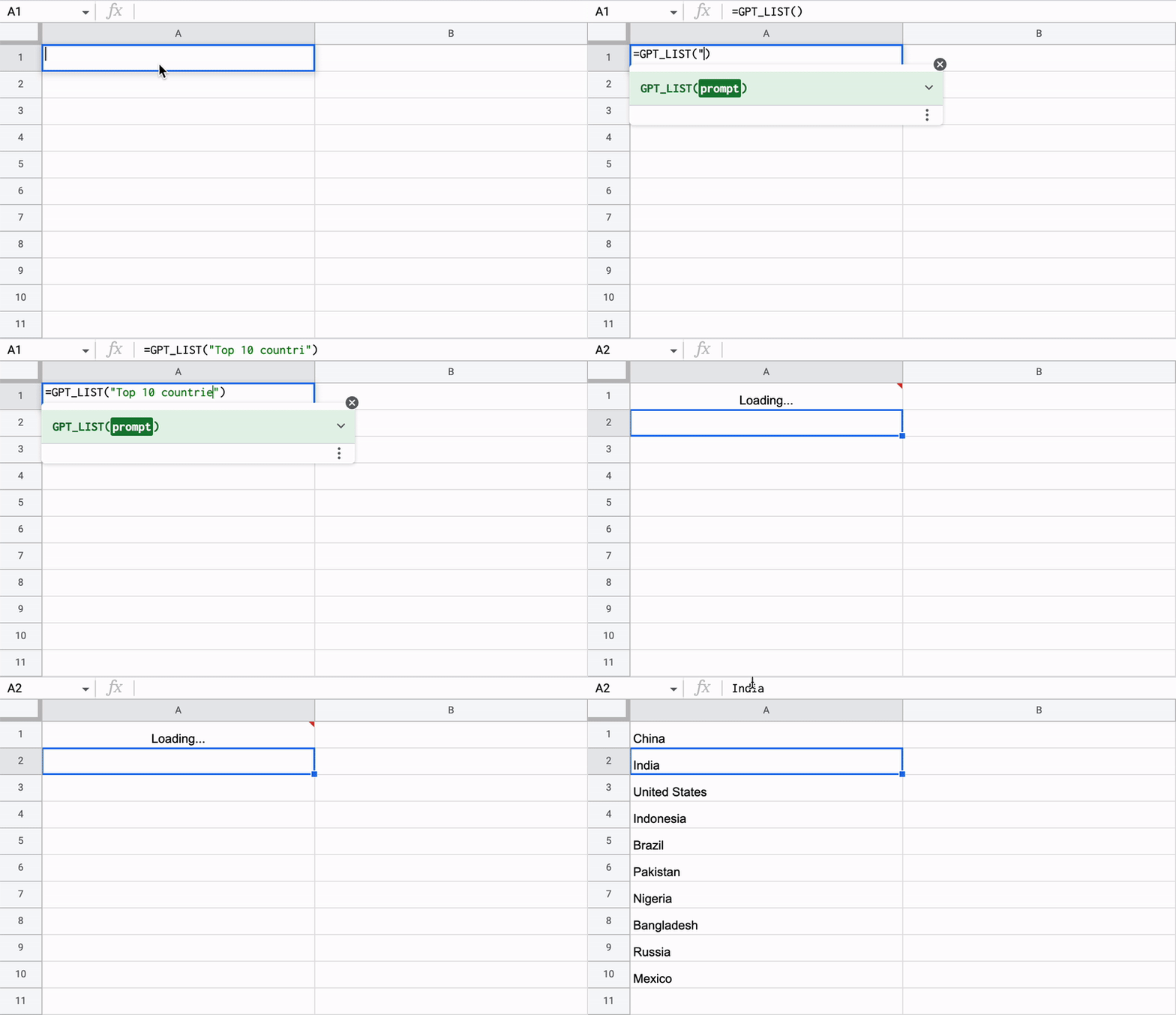
<figure><img src="https://1096151144-files.gitbook.io/~/files/v0/b/gitbook-x-prod.appspot.com/o/spaces%2FGl9bWvDp1A2xWk189Yux%2Fuploads%2FcjsYkvwB6xc7ebNrxYF2%2Faujatgf9qabxy2if.gif?alt=media&#x26;token=0156bf9b-bd08-4495-8fbe-3393fa6bbbe8" alt=""><figcaption></figcaption></figure>

**`=GPT_LIST(prompt, value, temperature, model, cache)`**

<table><thead><tr><th width="164">Parameter</th><th width="444">Description</th><th>Default</th></tr></thead><tbody><tr><td><code>prompt</code></td><td>The prompt describing the data you want to generate. (ex: "write a tagline for a waterproof t-shirt brand") <strong>required</strong></td><td>""</td></tr><tr><td><code>value</code></td><td>The cell you are referring to in your prompt (ex: A1)</td><td>null</td></tr><tr><td><code>temperature</code></td><td>Between 0 (not creative) and 2 (very creative)</td><td>0</td></tr><tr><td><code>model</code></td><td><code>standard</code> or <code>advanced</code> (gpt-4o-mini or gpt-4o)</td><td><code>standard</code></td></tr><tr><td><code>bypassCache</code></td><td>Bypass the cache and query openai again. The results will be differents than before.</td><td>false</td></tr></tbody></table>


---

# Agent Instructions: Querying This Documentation

If you need additional information that is not directly available in this page, you can query the documentation dynamically by asking a question.

Perform an HTTP GET request on the current page URL with the `ask` query parameter:

```
GET https://support.gpt.space/products/gpt-for-google-sheets/formulas/gpt_list-formula.md?ask=<question>
```

The question should be specific, self-contained, and written in natural language.
The response will contain a direct answer to the question and relevant excerpts and sources from the documentation.

Use this mechanism when the answer is not explicitly present in the current page, you need clarification or additional context, or you want to retrieve related documentation sections.
