
分享对话
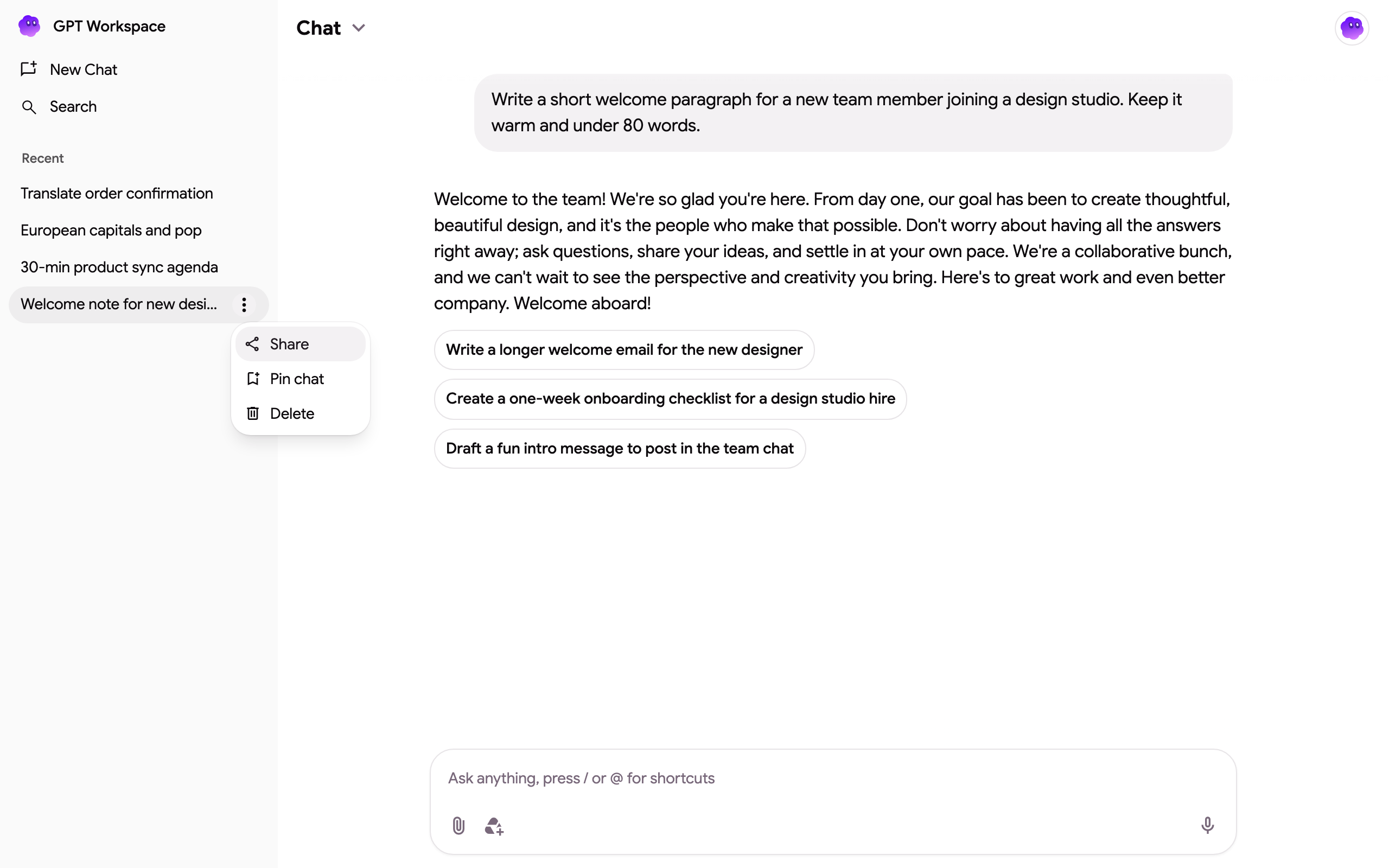
- 在线程列表中,将鼠标悬停在该线程上,点击其 ⋮ 菜单,然后选择 Share。
- 从 Share thread 对话框中复制链接并发送。
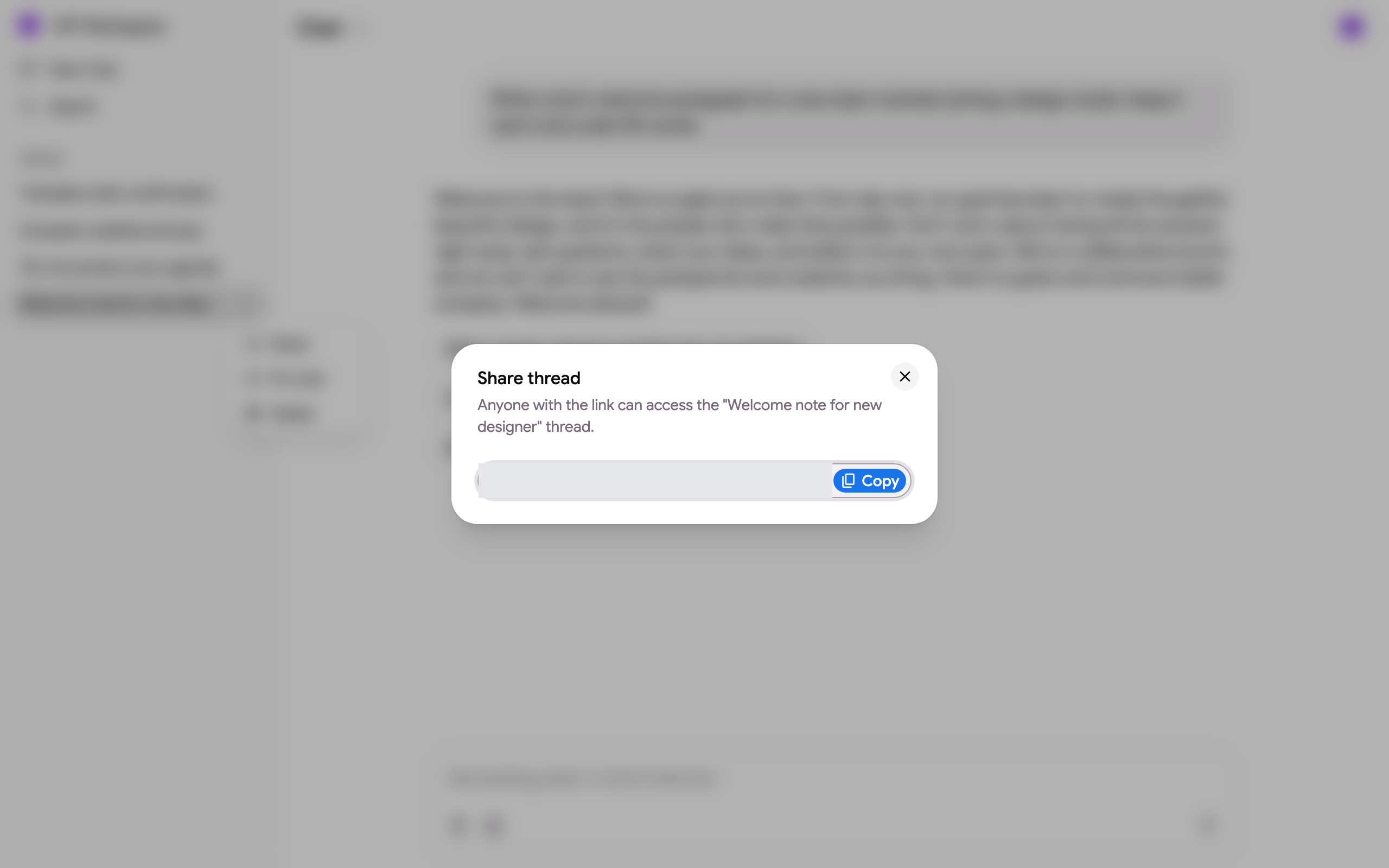
该链接的格式类似于 https://gpt.space/app/thread/share/<your id>/<thread id>。任何拥有该链接并登录 GPT Workspace 的人,都会在自己的线程列表中获得该线程的副本,其中包含他们打开链接时的所有消息和回复。它是一个快照:你线程中的后续消息不会出现在他们的副本中,他们的消息也不会出现在你的线程中。
如果你删除了该线程,链接将停止工作(“This chat no longer exists or the link is no longer valid”)。
置顶、搜索、删除
Section titled “置顶、搜索、删除”- Pin chat 可将线程保持在列表顶部的 Pinned 分类下;Unpin chat 会将其移回 Recent 分类。
- 侧边栏中的 Search 可根据内容查找线程。
- Delete 会永久删除某个线程。其他人通过你的分享链接创建的副本不受影响。
来自其他入口的线程
Section titled “来自其他入口的线程”从 Google Chat 应用启动的线程会在列表中显示为 “Google Chat ·